Need narration but unsure about recording? A look at ElevenLabs
Generate voices for short explainers and multilingual narration. Free testing and commercial use have different conditions.

Cover image: AI-generated editorial illustration.
If your explainer script is ready but recording is holding you up, consider ElevenLabs Text to Speech. Enter text, choose a voice and model, and generate an audio file. Multilingual models include Korean. It can suit solo creators making short instructional videos, app prototypes, or comparing narration styles. Features and languages
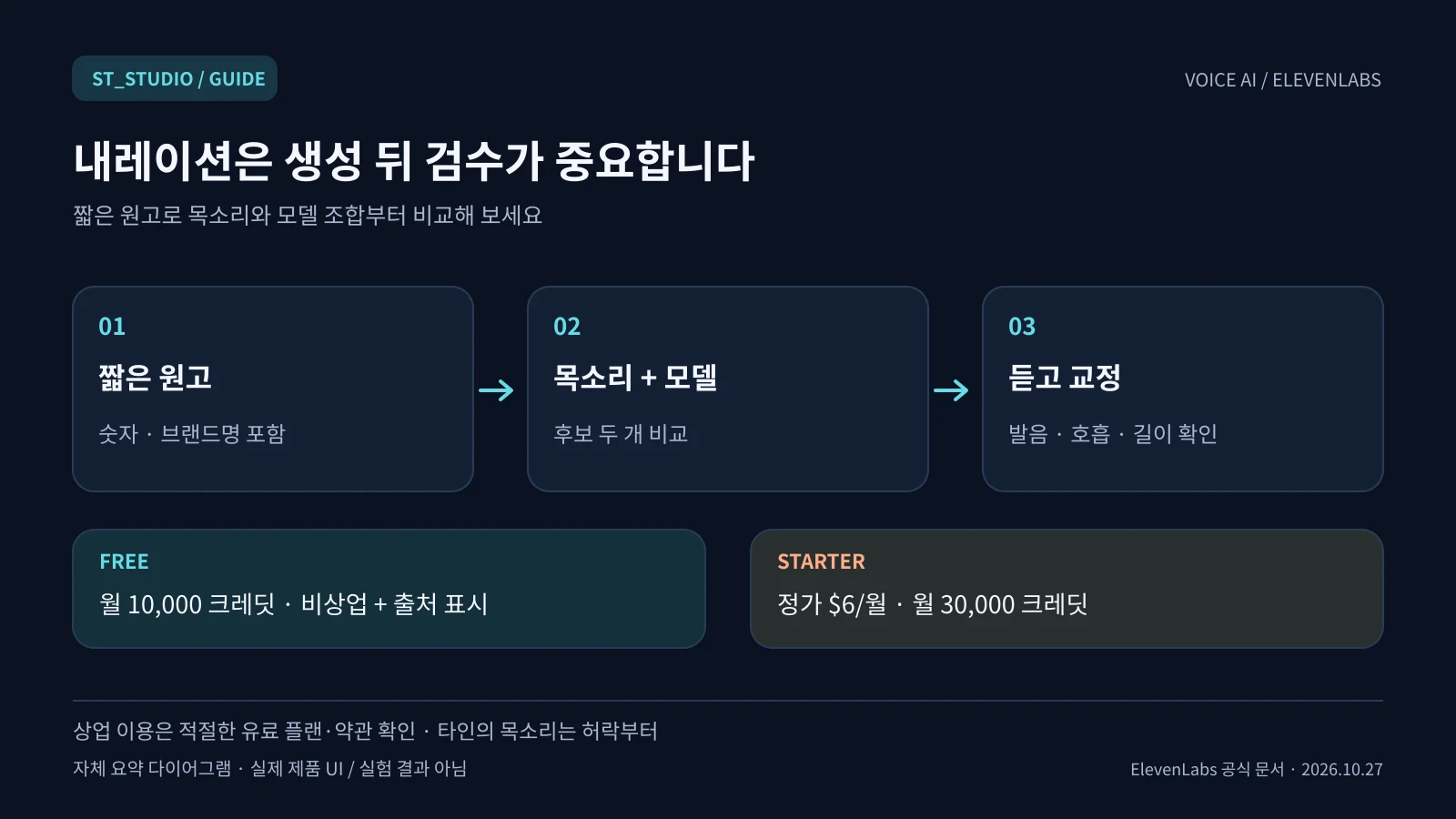
You can compare voices and delivery styles without recording the script again. One appealing voice will not necessarily suit every sentence or language. The official guide recommends testing voice and model combinations first. For Korean, try a short script containing numbers, English brand names, and varied sentence endings. Mispronunciations may require changing the spelling or wording and listening again. Settings guide
As of the information-check date, Free includes 10,000 credits per month. Starter lists a regular monthly price of $6 with 30,000 credits. Treat introductory discounts and taxes separately. Credit use varies by model and feature, so do not assume that 10,000 credits always produce a fixed number of minutes. Pricing
Keep one distinction in mind: testing for free and producing commercial work have different terms. Free-plan outputs are limited to noncommercial use with attribution. For monetized videos or client work, check the appropriate paid plan and its terms. Voice cloning also requires Starter or higher. Do not clone another person's voice without permission. Usage and billing guidance
A roughly 20-second script is enough for an initial test. Compare two voices and record pronunciation, breathing, and fit to the video's length. Include regeneration attempts in your production budget. Keep the final audio file and have a person listen to it from beginning to end before publication.
Prepare a spoken script, not just screen text
Imagine an app tutorial saying “Open a 3GB file in v2.5.” Your spoken version could be: “In version two point five, open the three-gigabyte file.” The version and file size are pronunciation examples. Try a pronunciation spelling for a difficult brand name while keeping the correct written name on screen.
Include an ordinary explanatory sentence alongside the difficult line. The voice needs to carry the transition, not merely pronounce isolated numbers. The official guide recommends spelling out numbers and symbols. Text input guidance
Change one thing at a time
No slider value guarantees the emotion or duration you want. Validate difficult names, numbers and transitions before generating the entire script.
Select a voice and model in Text to Speech. Generate the short sample and record both names with the file.
Check pronunciation first. Change the wording of a troublesome word before also changing voices.
If delivery varies too much, adjust Stability and compare against the previous candidate. A higher setting is not automatically better narration.
Settings depend on the model. Eleven v4 currently has no Style or Speed sliders and does not support SSML; do not transplant another model's recipe. Model settings
A good voice can still miss the edit
If a sentence runs past the shot change, listen to narration and picture together. Trim unnecessary words or split the sentence before comparing another version. If a direction is spoken aloud, check whether you included prose such as “speak calmly” in the narration itself. Ordinary descriptive text can be voiced rather than treated as an instruction. Prompting caveat
Leave specific review notes: “first syllable of the brand name,” “pause before the price,” or “ends before the final shot.” They are more actionable than “sounds natural.” Compare candidates at similar playback levels so that loudness does not decide the winner.
Keep the generation date with a delivery file
Upgrading later does not automatically make an earlier free-plan recording commercially usable. The official guidance distinguishes content generated during a paid subscription from content generated outside it, and applies additional restrictions to Beta Services. Record the generation date, plan and voice permissions. Publication and commercial terms
Frequently revised instructional scripts can benefit from this workflow. Where the actual speaker's emotion or testimony matters, a real recording may be the better choice. Budget for revised lines as well as finished duration, and check the displayed eligibility before assuming a regeneration is free. Billing and regeneration
Official sources checked: October 27, 2026.
Comments
Korean and English comments appear together in their original language.
Loading comments…
Leave a comment
No account or email needed. Comments appear after administrator approval. Use a password you do not use elsewhere; there is no password recovery. Do not include personal information, links, images, or HTML. Privacy details