Repeating the same instructions? Save project rules in VS Code
If you keep saying “Explain in Korean” or “Tell me before adding a dependency,” put those rules in a short file. Then check that Copilot both reads it and follows it.

Cover image: AI-generated editorial illustration.
If you keep repeating the same project rules in chat, put them in a file. Checking whether the agent follows a few clear rules matters more than writing a long rulebook.
Before creating a new file
An up-to-date VS Code installation, a GitHub account with Copilot access, and a practice repository. Check for existing instructions or AGENTS.md first; do not overwrite team guidance.
Write three rules, then check them
1. Select Copilot in Chat.
These paths and steps target Copilot sessions. Other agents use different supported files and discovery rules. VS Code instruction guide
2. Open .github/copilot-instructions.md at the repository root.
Create the directory and file if missing. Write repository-wide rules in Markdown. GitHub setup guide
3. Start with three observable rules.
For example: “Write explanations in Korean,” “Explain the reason before adding dependencies,” and “List anything you could not verify.” Do not let AI invent project commands or folders.
4. Check discovery.
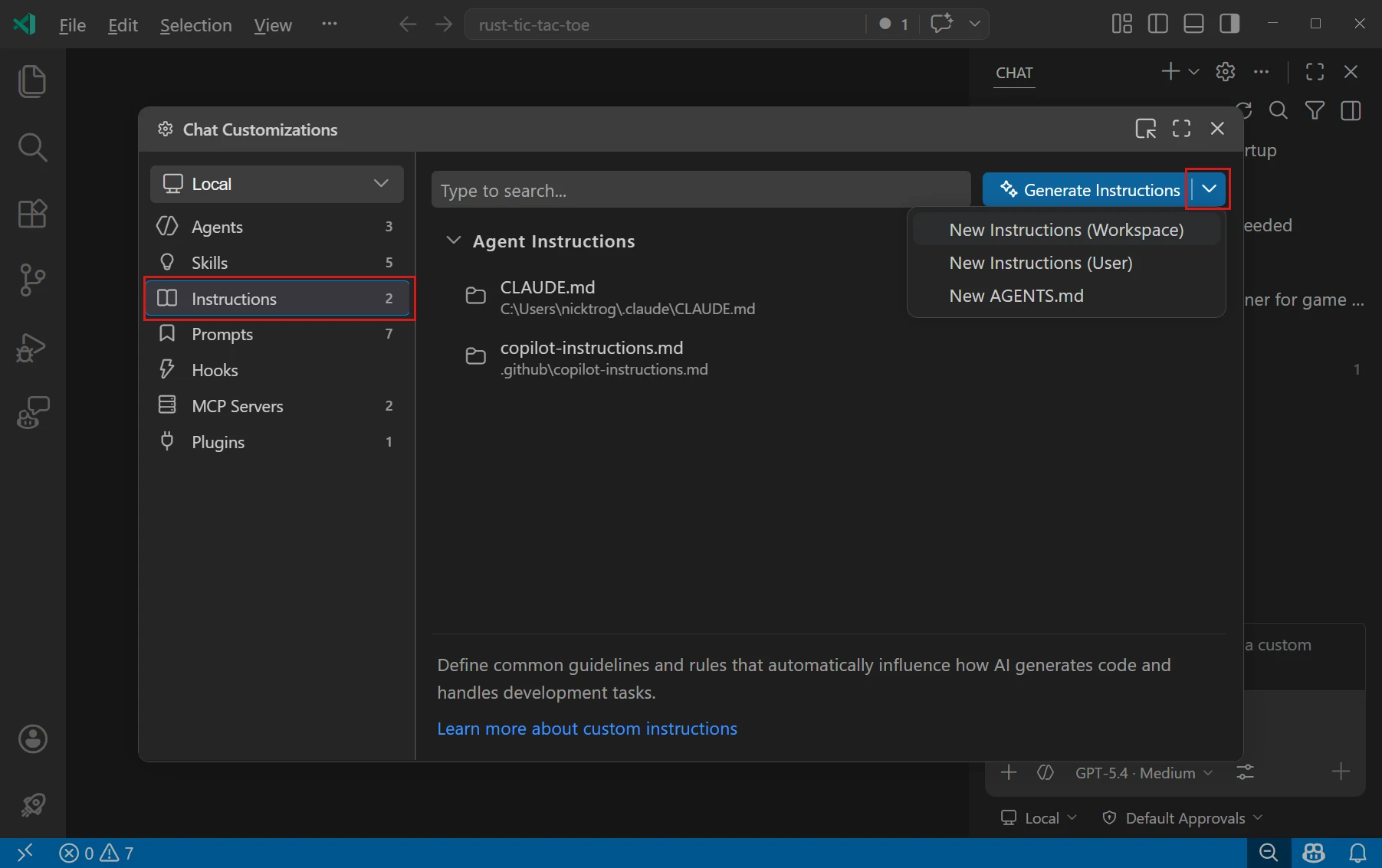
Run Chat: Open Customizations from the Command Palette and inspect Instructions. Start a fresh chat in the same repository and ask: “Suggest three README improvements without modifying files.”
5. Check References and the answer.
Confirm that the instruction file was included, then check whether the output followed all three rules. Discovery alone does not prove compliance. Checking references
Reading a file is not the same as following it
Use it for recurring standards such as documentation language, validation procedures and change explanations. These instructions do not apply to inline completions while typing. They do not replace security controls or tests.
Check account limits and data settings too
Copilot Free offers a limited starting point, with automatic model selection and an AI usage allowance. Paid plans offer different access and allowances. Plan comparison
Keep API keys and customer information out of instructions. Individual-plan users can opt out of AI training uses of interaction data in GitHub’s Copilot settings. For work accounts, follow organization policies. Data settings
Official documentation checked October 27, 2026. This exercise requires no automatic approval of edits or commands.
Comments
Korean and English comments appear together in their original language.
Loading comments…
Leave a comment
No account or email needed. Comments appear after administrator approval. Use a password you do not use elsewhere; there is no password recovery. Do not include personal information, links, images, or HTML. Privacy details