Setup (x64)Report linked
Smart-GIF-Optimizer-Setup-0.1.0-x64.exeSHA-256
View public VirusTotal report1fa24e3f61b17f818c9c25b65af20f2f330101186b71e2d887fa0c5b07f6f466Make every frame fit
A GIF optimizer that automatically tunes resolution, FPS, colors, and compression after you choose a platform or target file size.
 SMART GIF / 01
Official download
Microsoft Store is recommended for typical users, while existing direct Setup and Portable downloads remain available.
Recommended install
Installs a signed package through Microsoft Store and lets the Store manage updates.
Choose this route if you prefer the Store installation flow instead of opening an unsigned executable downloaded by your browser. Screens may vary with Windows policy and environment.
Product ID 9N0DVFBS5FJ9Direct download
You only need one of the two files below.Choose Setup for installation or Portable to run without installing.
This alternative downloads directly from GitHub Releases without a sign-in. The current executables are not digitally signed, so Windows may display ‘Windows protected your PC.’
Download the Windows installer directly from GitHub Releases.
Smart-GIF-Optimizer-Setup-0.1.0-x64.exeDownload SetupDownload the executable directly from GitHub Releases and run it without installing.
Smart-GIF-Optimizer-Portable-0.1.0-x64.exeDownload PortableLicense files, third-party notices, corresponding source, and checksums.
Security reports
Each direct Setup and Portable executable links to a VirusTotal report with the same SHA-256.
Smart-GIF-Optimizer-Setup-0.1.0-x64.exe1fa24e3f61b17f818c9c25b65af20f2f330101186b71e2d887fa0c5b07f6f466Smart-GIF-Optimizer-Portable-0.1.0-x64.exec8c10fd0f8be0a4d35b57ea5ede13d61cf5815527a7337aac81c64085334a2eeResults may change over time and across engines and cannot guarantee that a file is safe. Verify the downloaded file's SHA-256 as well.
Read the SmartScreen guide for direct downloadsBefore using the app, review the App Terms of Use and App Privacy Policy. Installing or using the app means you accept the App Terms of Use. Do not download, install, or use it if you cannot accept the terms or associated risks.
Why Smart GIF
Smart GIF Optimizer was created to remove the repeated work of lowering resolution and FPS, then adjusting colors and compression every time a GIF must fit an upload limit.
Load a video or GIF and choose a platform preset or maximum file size. The app finds suitable settings and converts the result to GIF. It works without requiring compression expertise, while advanced controls remain available when you need them.
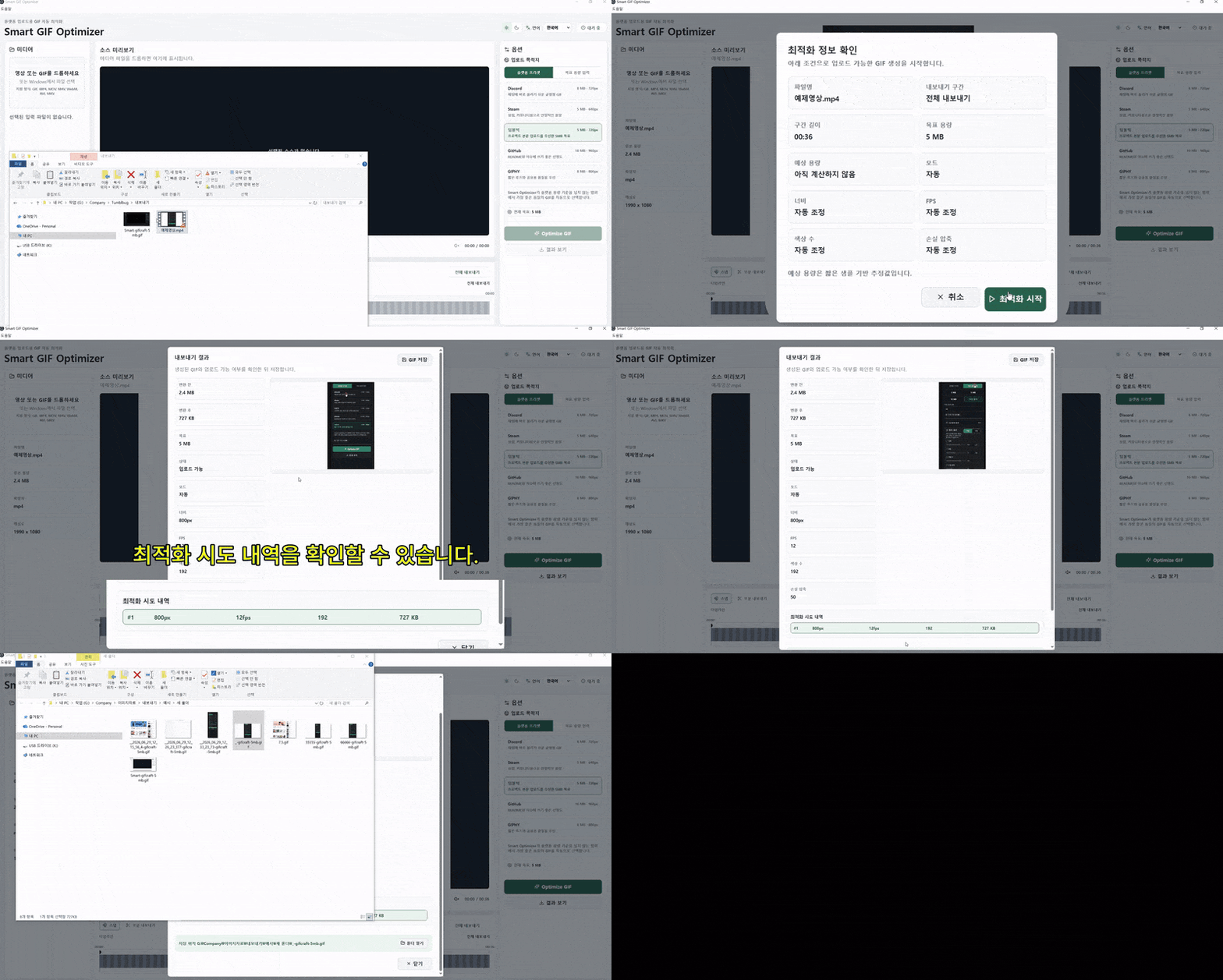
Four simple steps
Add a file and choose its destination or target size. The app handles the rest.
Drag the video or GIF you want to optimize into the app.
Select the upload platform or your preferred maximum file size.
The app adjusts resolution, FPS, colors, and compression settings.
Open the completed GIF, check it, and upload it where you need it.
Built for daily work
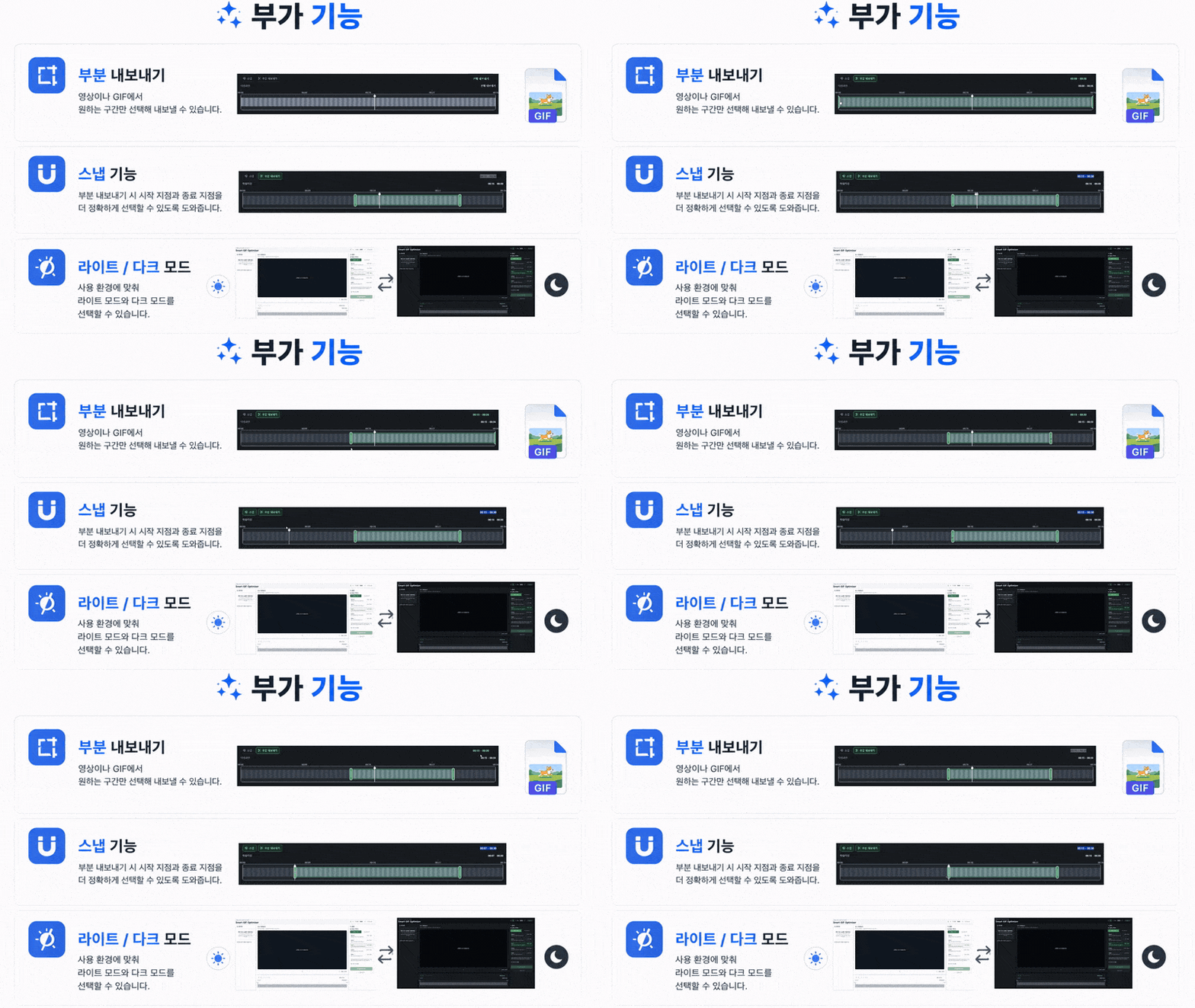
Apply the size and resolution limits of popular services in one step.
Enter a maximum file size and the app searches for a suitable combination.
Adjust width, FPS, color count, and lossy compression yourself.
Select only the section you need from a video or GIF and save a new GIF.
Choose the start and end points more precisely.
Choose a light or dark interface for your work environment.
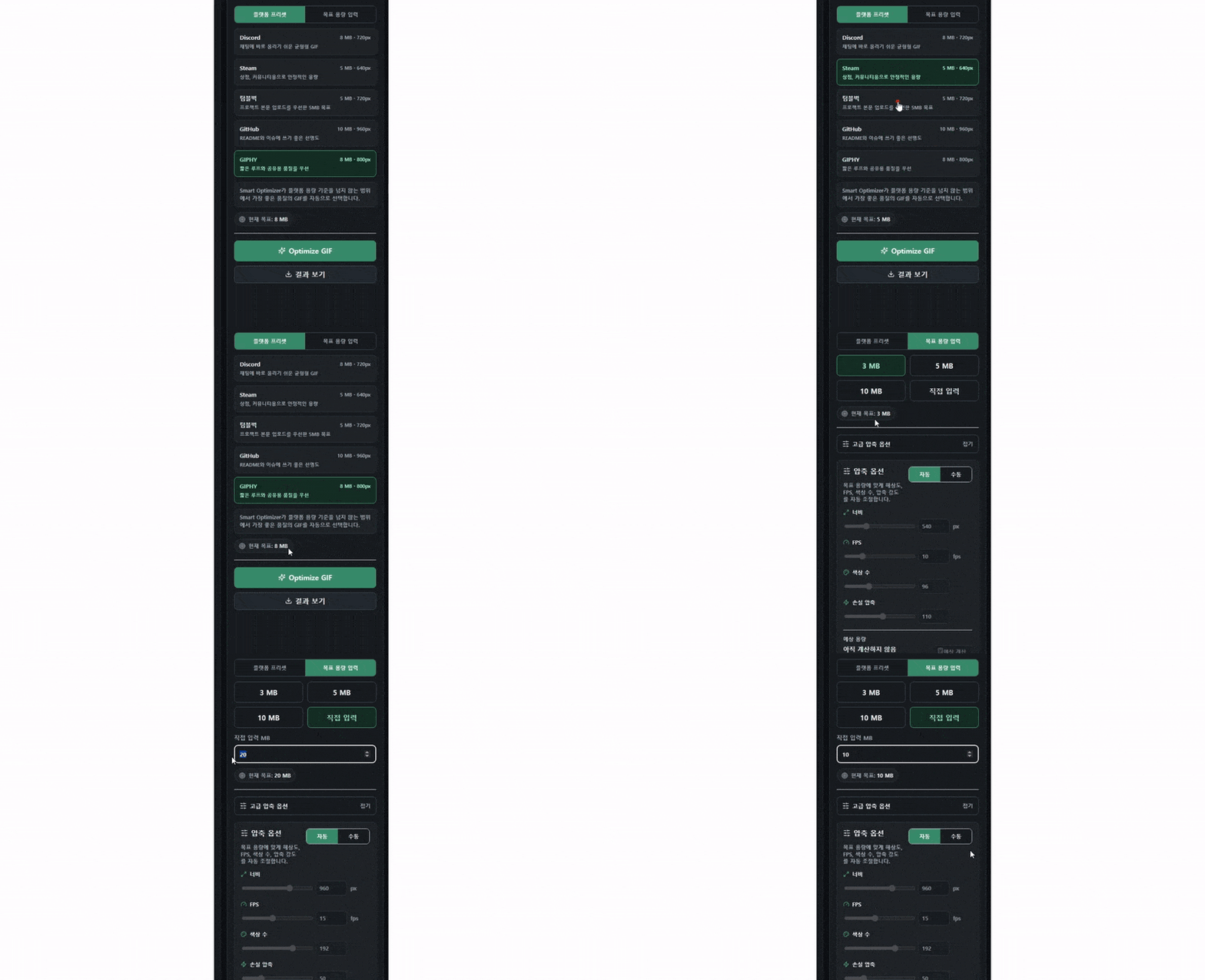
Platform presets
Choose a preset to optimize against the platform's target size and dimensions.
Balanced settings for easy sharing in chats
Settings designed for store and community uploads
Settings for project introduction images
Settings suited to README files and issues
A balance of quality and size for shared GIFs
Compatibility
For reliable conversion, stay within the input limits and recommended requirements.
A warning appears above 300 MB.
A warning appears above 50 MB.
Install & safety
Confirmed guidance is clearly separated from details that still require release verification.
Verify the official distribution and follow these steps for a safe first launch.
The Microsoft Store version installs as a signed Store package. The directly downloaded Setup and Portable executables on GitHub are currently unsigned, so Windows may show a ‘Windows protected your PC’ or unknown publisher message.
Preserve your output and license information before removing the app.
The settings location and complete removal procedure will be expanded when the final distribution format is confirmed.
Keep originals and important output outside the program folder before optimizing.
For a typical installation, use the Microsoft Store linked here. For a direct download, use only the GitHub Release linked here and verify the file size, SHA-256, and public VirusTotal report for the same hash.
The Microsoft Store version uses Store communication for installation and updates. Any additional app communication, such as error reporting, will be disclosed after the distributed build is verified.
Normal operation is not guaranteed outside Windows 10 64-bit or later and the stated input limits.
Help center
Troubleshooting, frequently asked questions, and the current release status in one place.
No window appears when you open the executable, or it closes immediately.
An error appears after selecting a file, or no preview is generated.
The output is still larger than the chosen maximum after automatic optimization.
Optimization finishes, but the output file is not saved.
Colors look banded or motion appears excessively choppy.
Yes. You can read the site and guides without signing in. Microsoft Store is recommended for a typical installation, while direct Setup and Portable downloads remain free on GitHub Releases without a sign-in. Microsoft Store account requirements depend on your environment and Store policy.
No. The official app is distributed for free. Site operations are supported by ads kept separate from the content. Viewing or clicking ads is never a condition for downloading or reading the guide.
The current supported baseline is Windows 10 64-bit or later, with Windows 11 recommended. macOS and mobile operating systems are not listed as supported.
License & support
App Terms of Use, the App Privacy Policy, and third-party open-source notices are provided separately. Version-specific corresponding source and SHA-256 values are available on the open-source license page.